Affiliates program
 Login
Login


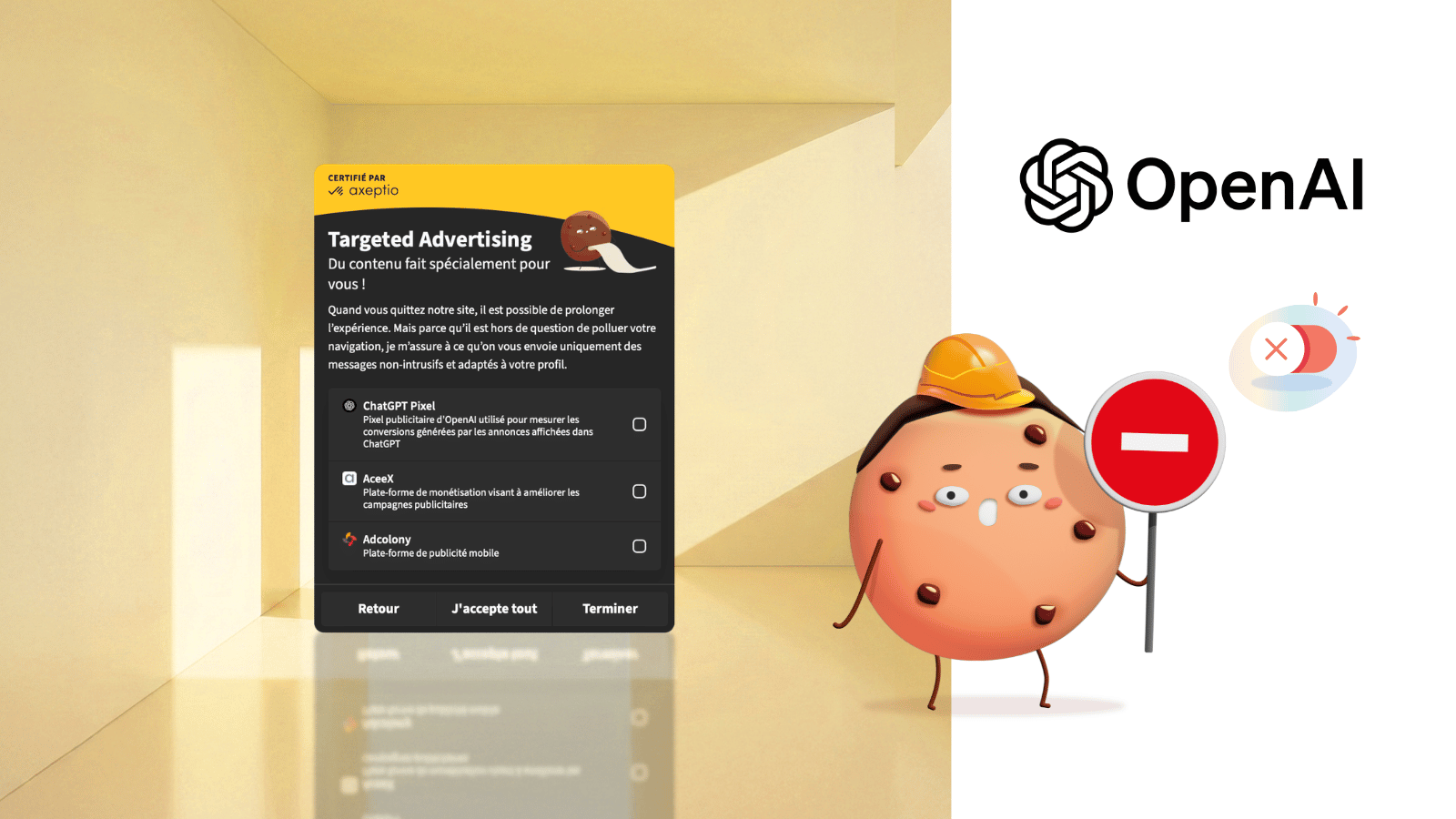
As of August 31, 2026, European businesses can open a self-serve ChatGPT Ads account and generate a measurement pixel. Seven months after the US pilot went live, advertising inside conversational AI has everything a conventional acquisition channel needs: cost-per-click bidding, conversion optimization, audience targeting, a conversions API, and now a web pixel. That last piece is an ad tracker sitting on your pages, which makes it one more vendor your CMP has to collect consent for.
Back to Basics: What an Ad Pixel Actually Does
An ad pixel is a script that runs on an advertiser's pages. It reports back what visitors do: page views, add-to-carts, form submissions, completed orders. The platform matches those events against clicks on its own ads, and that match is what connects ad spend to conversion.
That's how you tie revenue back to a campaign, calculate a cost per acquisition, and give your growth marketer the numbers to actually steer spend. OpenAI's pixel runs on the same logic as the ones marketers already know from Meta, TikTok, and Google Ads.
Gen Z's Go-To Search Engine Became an Ad Giant in Seven Months
In January 2026, OpenAI laid out the principles that would govern its advertising business. The US pilot launched on February 9. By late March, according to PPC Land, the ad business had already cleared $100 million in annualized revenue with no attribution in place at all. Advertisers were buying on a CPM basis, flying blind and doing it the old-fashioned way, which tells you how badly they wanted in.
On May 5, OpenAI opened Ads Manager to US businesses on a self-serve basis and switched on cost-per-click bidding, the conversions API, and the pixel at the same time. The rollout went international from there: the United Kingdom, Mexico, Brazil, Japan, and South Korea on August 11, then 31 European markets starting August 24, France included. On August 31 the company reported a $1 billion annualized run rate in under 200 days, tens of thousands of advertisers, and more than fifty technology partners. That's a steep curve for a newly minted ad giant. And now that the pixel makes it easy to compare performance head-to-head with Google and Meta, it's not a stretch to expect a free-agency scramble for marketing dollars.
Did Your New Confidant Just Sell You Out?
With billions of users worldwide, what separates OpenAI from other channels is the kind of data moving through it. A script could always pick up your browsing history, and a form could always capture your email address. Conversational models like ChatGPT collect data nobody has had access to before: what worries people, what motivates them, what they can afford, what they like, what they're torn about, and sometimes their health.
OpenAI's own pitch calls ChatGPT the place where decisions take shape, noting that discovery, consideration, and the decision itself all happen in a single interface.
OpenAI has made several commitments about how it handles all of this. In the European Economic Area and Switzerland, personalized advertising isn't available at launch. Ad selection draws on the current conversation, the user's general location, and language, leaving past chats and memory out of it. Advertisers are supposed to receive nothing beyond aggregate metrics. No ads run on accounts flagged as belonging to minors, or anywhere near sensitive subjects like health, mental health, and politics. Temporary chats aren't monetized either.
Those guardrails are there to keep users from growing wary of their new virtual confidant. The commitments are also opaque, and no outsider can verify them. OpenAI's own phrasing hints at a shift before long: personalization is not available "initially" in the EEA, and the company says it will ask European users for consent before switching it on.
In practice, a visitor who lands on an advertiser's site after clicking a ChatGPT ad runs into the OpenAI pixel there, listed among the CMP's vendors like any other tracker, assuming the compliance work has actually been done. That's where a consent assistant like Taste earns its keep for the end user. Taste lets them set granular consent preferences, down to refusing ChatGPT Ads automatically everywhere the vendor shows up.
Pick Your Poison: Ads as a Subscription Pitch
Since February, these ads have run only on the Free and Go tiers, the low-cost plan OpenAI rolled out more broadly earlier this year. Plus, Pro, Business, Enterprise, and Edu are exempt for now. So the ad business monetizes the non-paying base while turning the absence of ads into a selling point for a subscription.
OpenAI added a wrinkle in the US market: Free users can switch ads off in exchange for fewer messages a day. Opting out is real, and it costs you usage.
Ad-Funded Answers: Is Skepticism Due for a Comeback?
Every OpenAI announcement repeats the same points. Ads don't influence answers, they're labeled as sponsored, and they sit below the organic response.
Selling advertising, though, means selling attention. Selling conversion optimization means selling a commercial outcome, which puts the whole system under performance pressure. The pixel happens to be the instrument that makes that pressure measurable.
So it's worth asking how neutral an answer really is, assuming neutrality ever existed in these models to begin with. Reliability was already shaky before advertising showed up: factual errors, answers that shift with the phrasing of a prompt, web content steering which sources get cited. Bolting an economic layer onto the space beside the answer adds to the list of parties with a stake in bending it.
Adding ChatGPT Pixel to Your Axeptio Banner
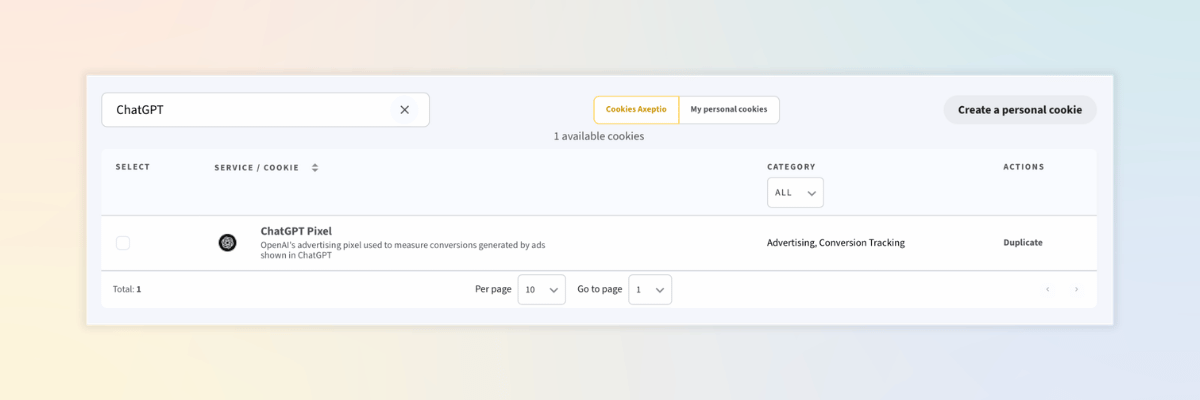
Axeptio's vendor library gets updated regularly so it keeps pace with the new tools showing up in your marketing stack. ChatGPT Ads is in there now, and you can attach it to the purposes that require consent from the widget itself, using the vendor library in your back office.
Generating the pixel takes three steps on OpenAI's side. Create an advertiser account at ads.openai.com, open the Conversions tab in Ads Manager to generate a Pixel ID, then install the script in your site's <head> or deploy it through a Google Tag Manager container. OpenAI doesn't publish an official GTM template yet, but several community templates cover both web and server containers, including the ones from our partners Stape and TAGGRS.
Two things to plan for. The pixel initializes with consent set to true by default, so it has to be blocked upstream and controlled by your CMP. And if your site enforces a Content Security Policy, OpenAI's documentation lists the domains you'll need to allow.
If the summer break left you a little rusty, our step-by-step guide to adding a vendor to your cookie banner is right here.
Quick How-To: Installing the ChatGPT Pixel in Tag Manager With Axeptio
Step 1. Declare the vendor in your banner
Search for "ChatGPT" in your vendor library. The service shows up as ChatGPT Pixel, filed under Advertising and Conversion Tracking. This is the step we walked through in the previous section. Make a note of its identifier, chatgpt_pixel, because you'll need it in step 3.
Step 2. Set up your triggers
The ChatGPT pixel comes in two pieces: an SDK that has to load on every page, and the conversion events OpenAI documents.
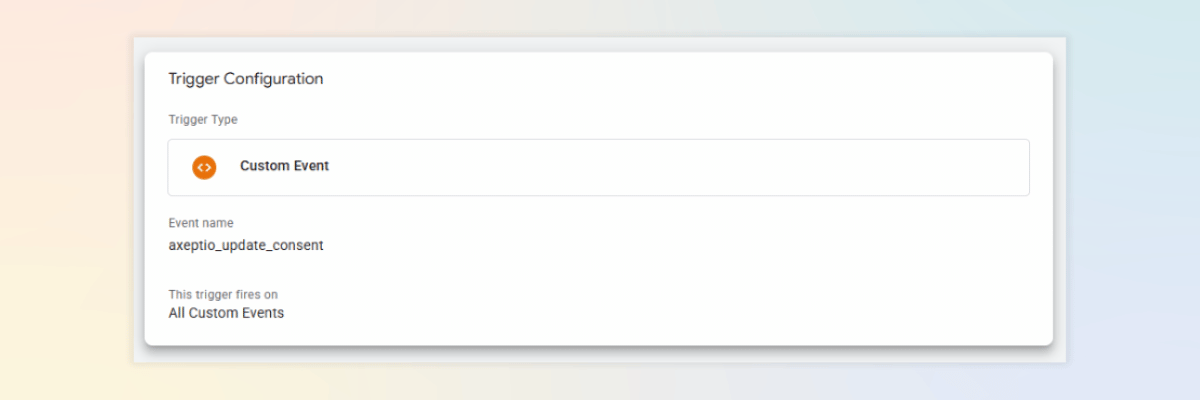
The SDK needs two triggers. All Pages covers any page where consent has already been given. A Custom Event trigger on the axeptio_update_consent event covers the visitor who accepts partway through a session, so the pixel loads without waiting for the next page.
Step 3. Gate the tag on consent
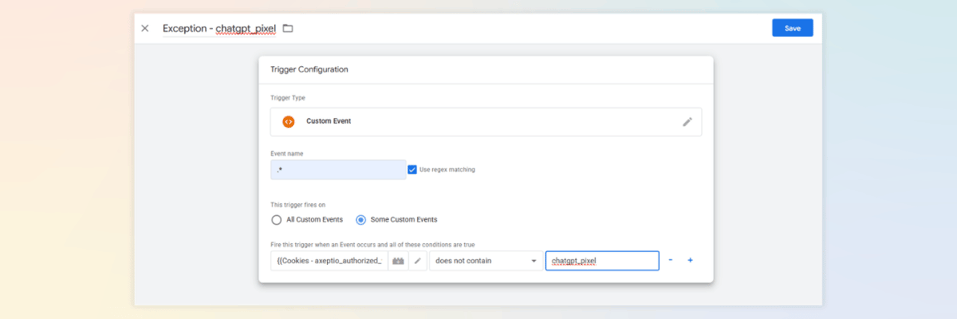
Add an Exception that reads the axeptio_authorized_vendors cookie and blocks the tag as long as chatgpt_pixel isn't in it. Set its event name to .* with regex matching turned on, so the exception applies to every event rather than only the ones you've declared.
Step 4. Configure the tag
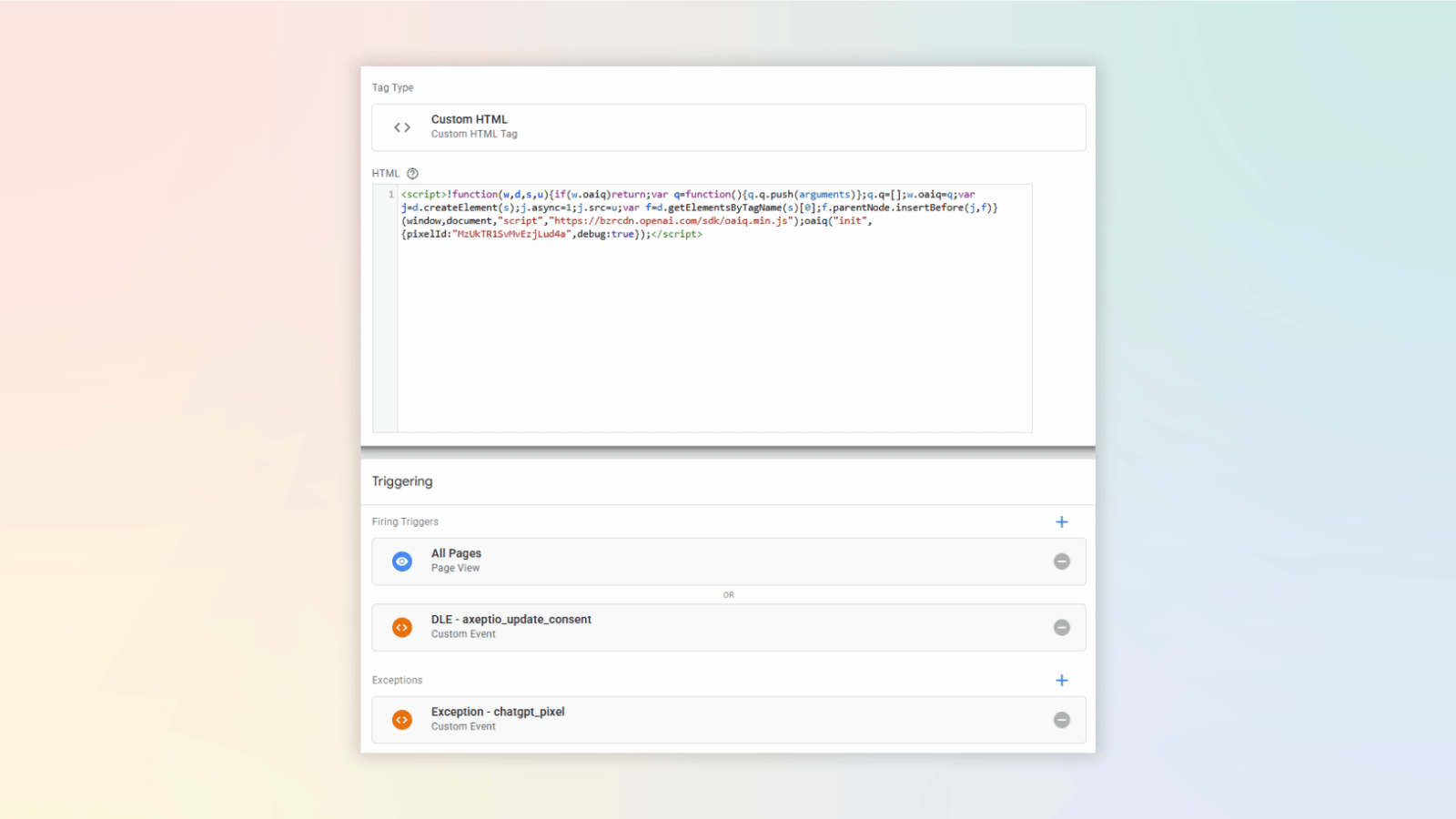
OpenAI doesn't publish an official GTM template yet, so a Custom HTML tag is the most direct route. In your ads.openai.com account, open the pixel's data source to grab its identifier and configuration code.

Paste that code into the tag, then attach the two triggers from step 2 and the exception from step 3. Finally, set the tag to fire once per page: OpenAI asks that only one configuration script load per page, and two triggers on a single tag can fire it twice.

.png?width=427&height=213&name=Interflora%20x%20Axeptio%20(1).png)